Verification of actions
The work on a certificate can be divided in different ways between the Holder (Certified Entity) and the Certification Body (CB). To support these ways of working, the actions performed on a certificate can remain pending verification by the CB, and the CB has a way of signalling to the PEFC team that it has completed its work.
Two ways of working
1. The Holder enters the information and the CB verifies it
In this way of working, the information entered by the Holder requires validation by the CB. Therefore, whenever the Holder performs operations on a certificate, those operations remain pending verification.
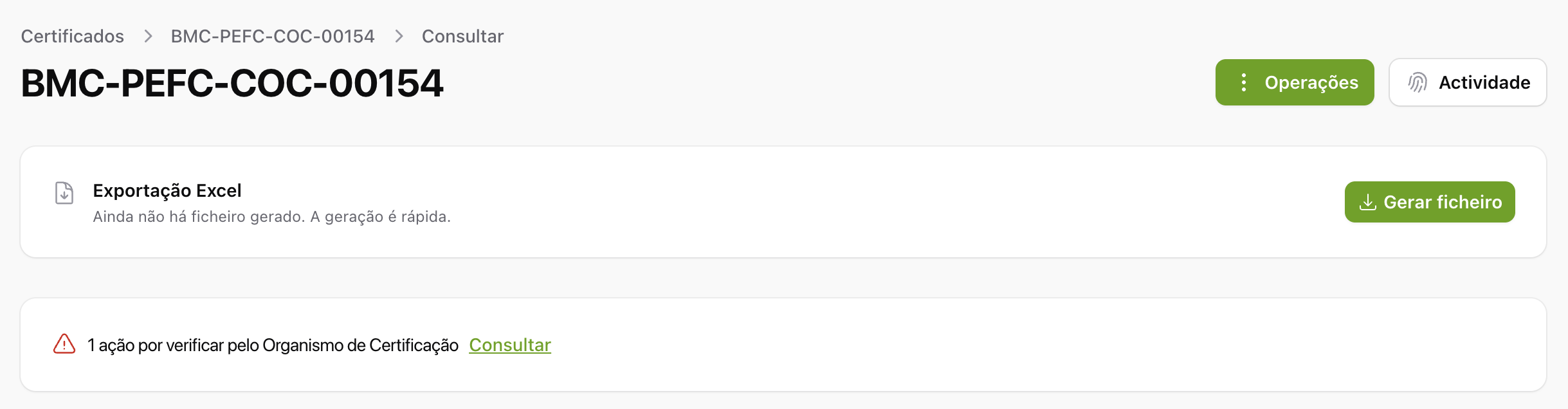
The certificate page shows an alert indicating how many actions are awaiting verification. The alert is visible to both the Holder and the CB.
In the certificate's Atividade (Activity) list, each action awaiting verification is individually marked with the «Por verificar» (Awaiting verification) label. The CB can verify them:
- One at a time, with the «Verificar» (Verify) action on each row, or
- All at once, with the section's «Verificar todas» (Verify all) action, which is useful when there are many actions to verify (for example, after importing an Excel file; see Import data (Excel)).
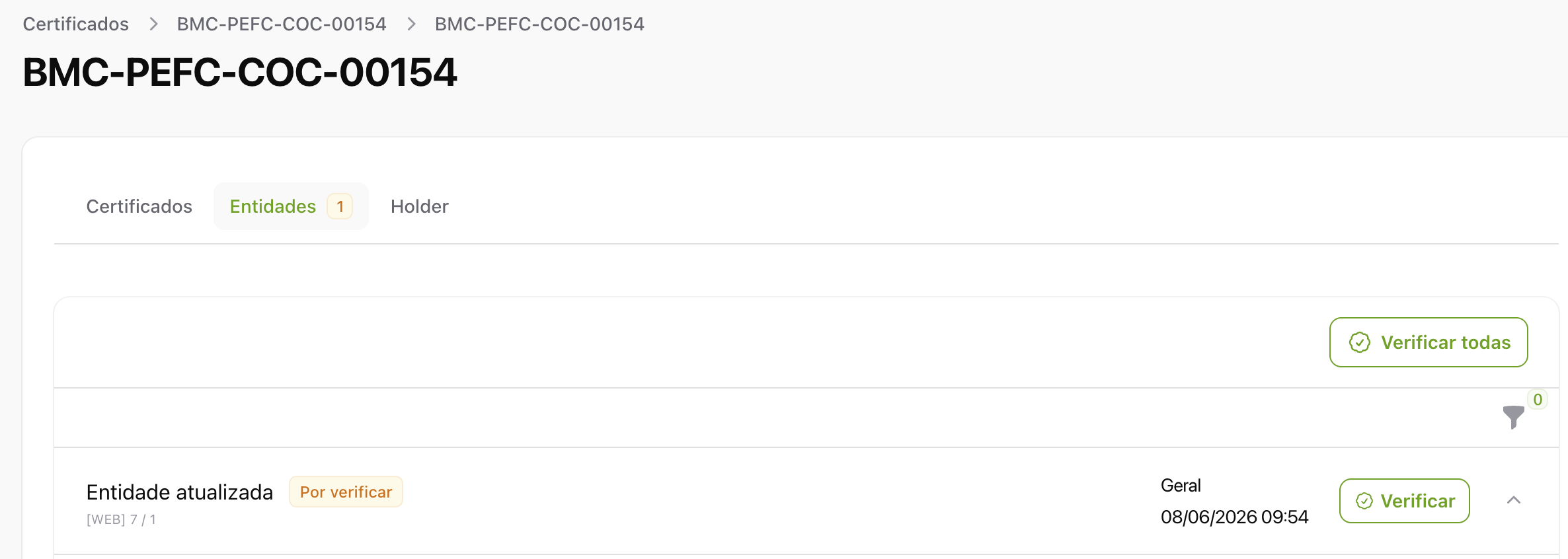
The «Verificar todas» action only appears when there actually are actions awaiting verification in that section. The Atividade list is organised into tabs (Certificados (Certificates), Entidades (Entities), Holder), and each tab counts and verifies its own actions.
2. The CB enters and verifies the information
When it is the CB itself that enters the information, that information does not require verification: it is created already verified. In that case, the pending actions alert and the «Verificar» and «Verificar todas» actions described above are not available, because there is nothing to verify.
Notify PEFC Portugal
In both ways of working, the CB has a way of informing the PEFC team that it has completed the verification and update tasks for the certificate.
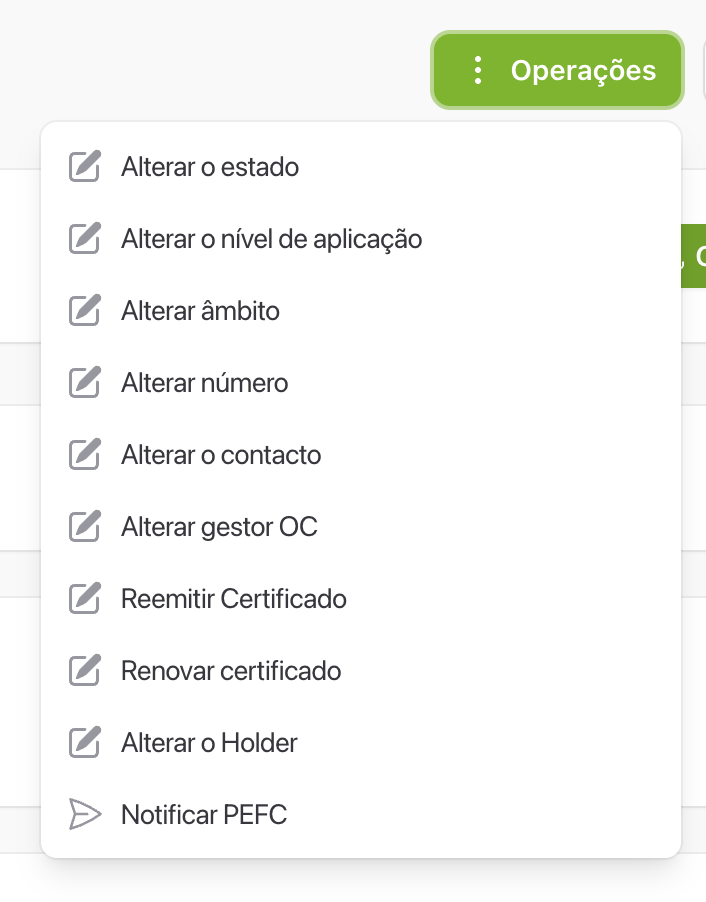
When you choose it, a confirmation is requested. The action signals that the Certification Body has completed its work and that the certificate is ready to be reviewed by the PEFC team.
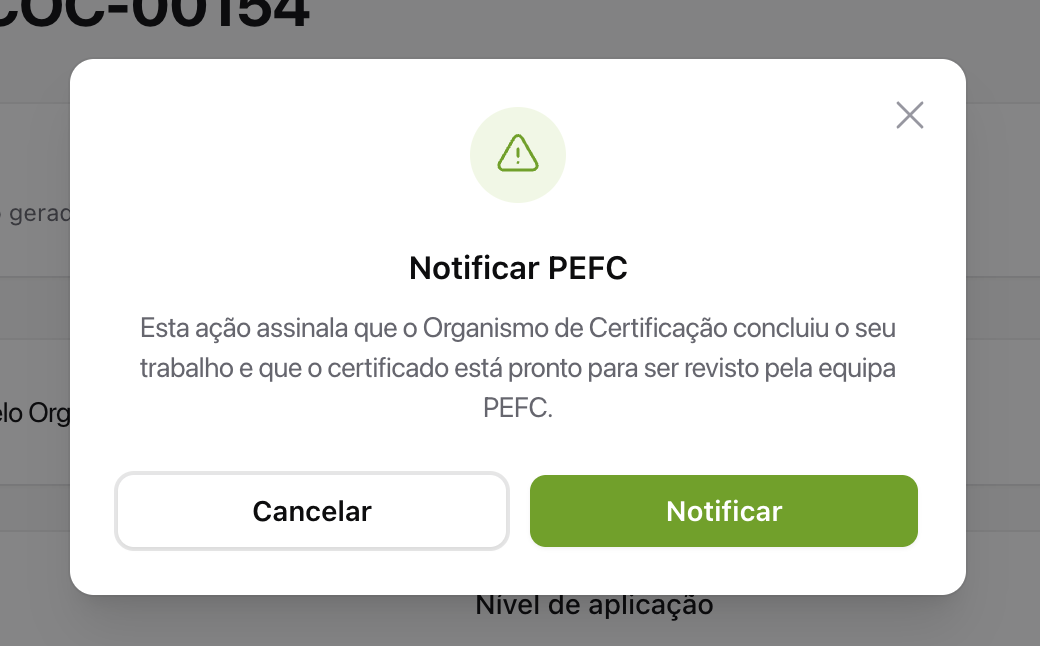
This action works in the same way as the one that existed in the past and, besides notifying the PEFC team, records a dedicated event in the certificate's Atividade list: «Pronto para revisão pelo PEFC» (Ready for review by PEFC). This leaves a historical record of when the CB declared its work complete.
